Stadiums · arenas · festivals · halls
Half-time queues,
gone.
Fans scan the QR code on their seat, order and pay by card — no app, no account. Your canteen accepts with one tap, the ticket prints, and the fan gets a text when it's ready.
- Order from the seat in under a minute
- Card charged only when accepted
- Payments go to your own account
- Tickets print by themselves
No app to install
A QR code and the phone's browser
One tap per step
Accept, prepare, ready, collected
Automatic printing
80 mm thermal, food and drinks routed
Your payment account
Customers pay you; we charge our fee
The product
From the seat to the counter, in a few taps.
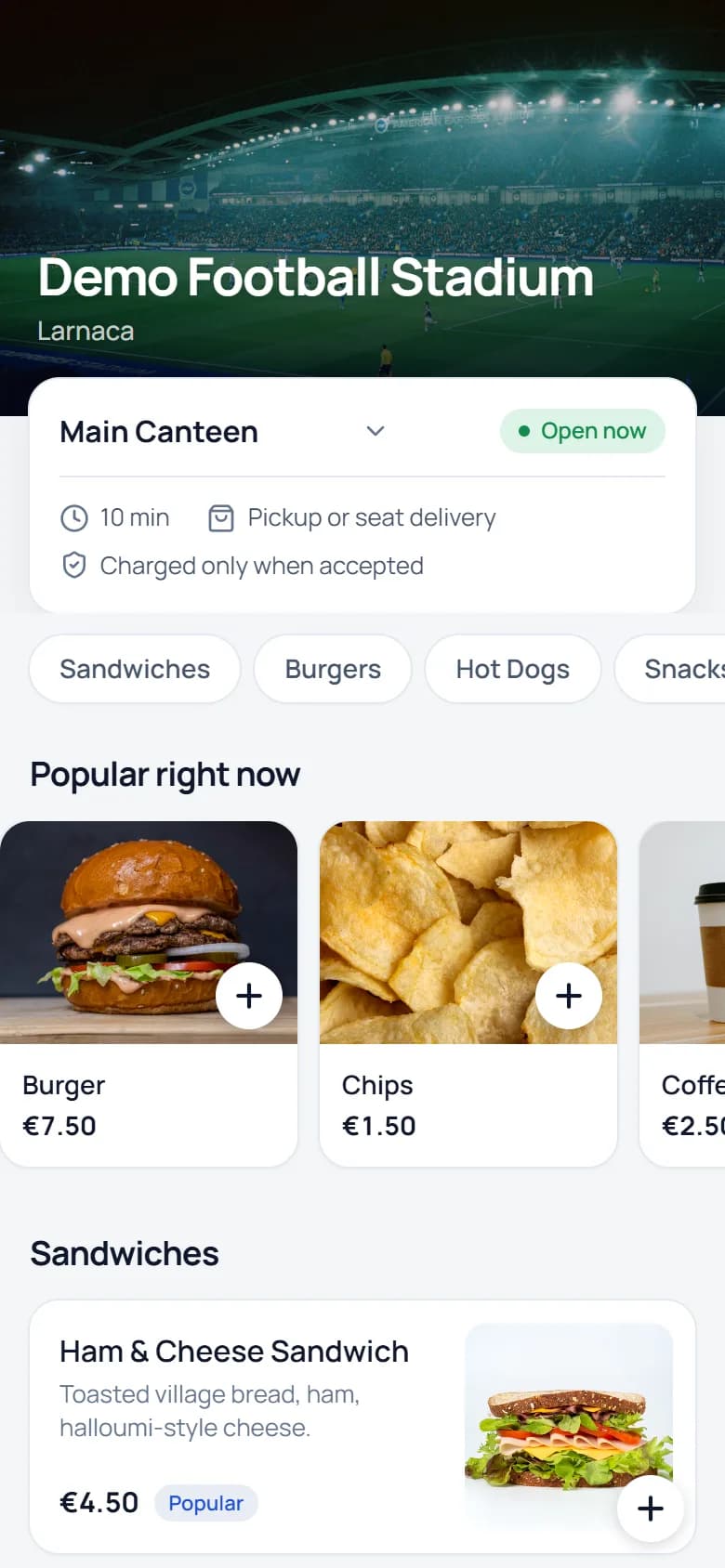
Fans order from their seat
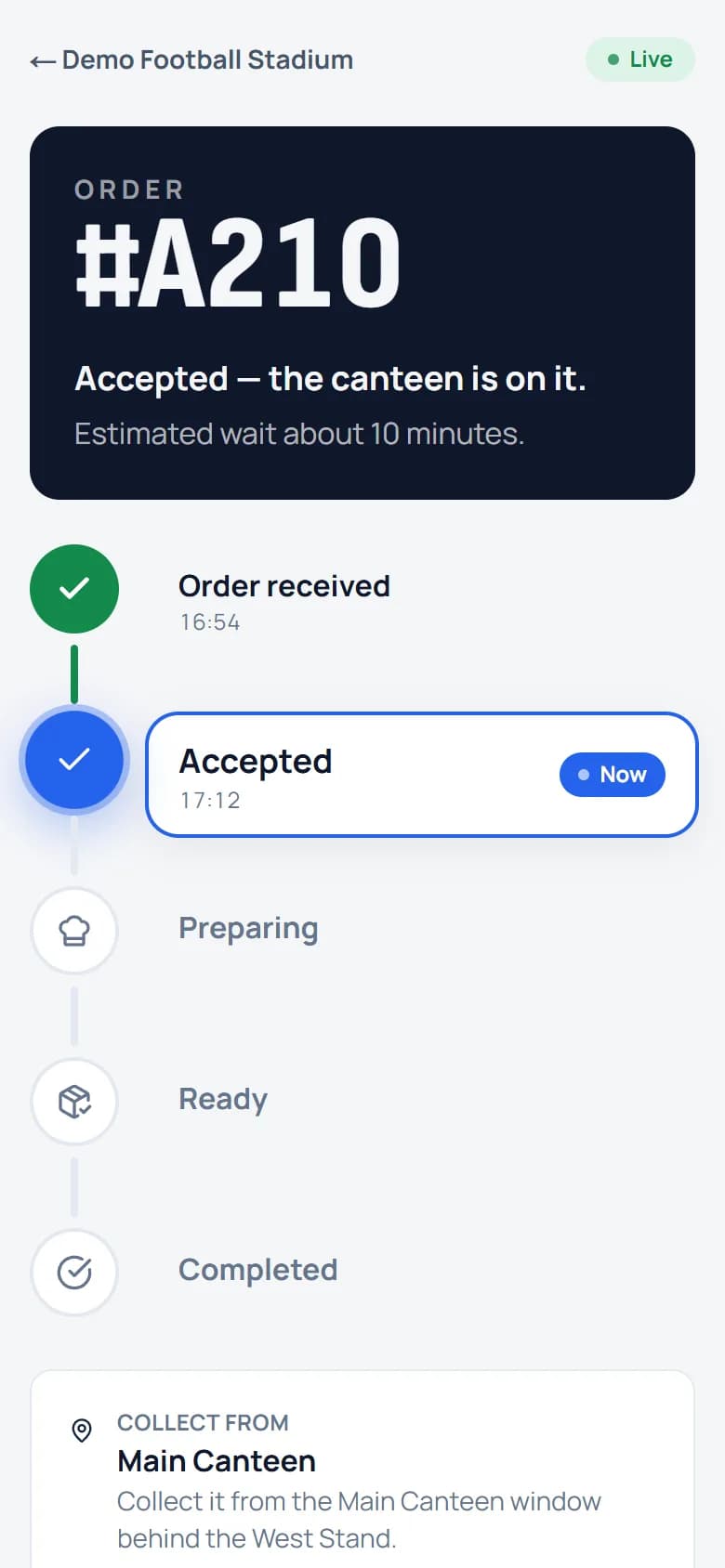
The QR code on the seat opens the menu with the stand, row and seat already filled in. Photos, options like extra cheese, sold-out items greyed out live. They pay on the payment provider's secure page and follow the order live — and by SMS.
- No app, no account
- Pickup or delivery to the seat
- Live status and SMS at every step
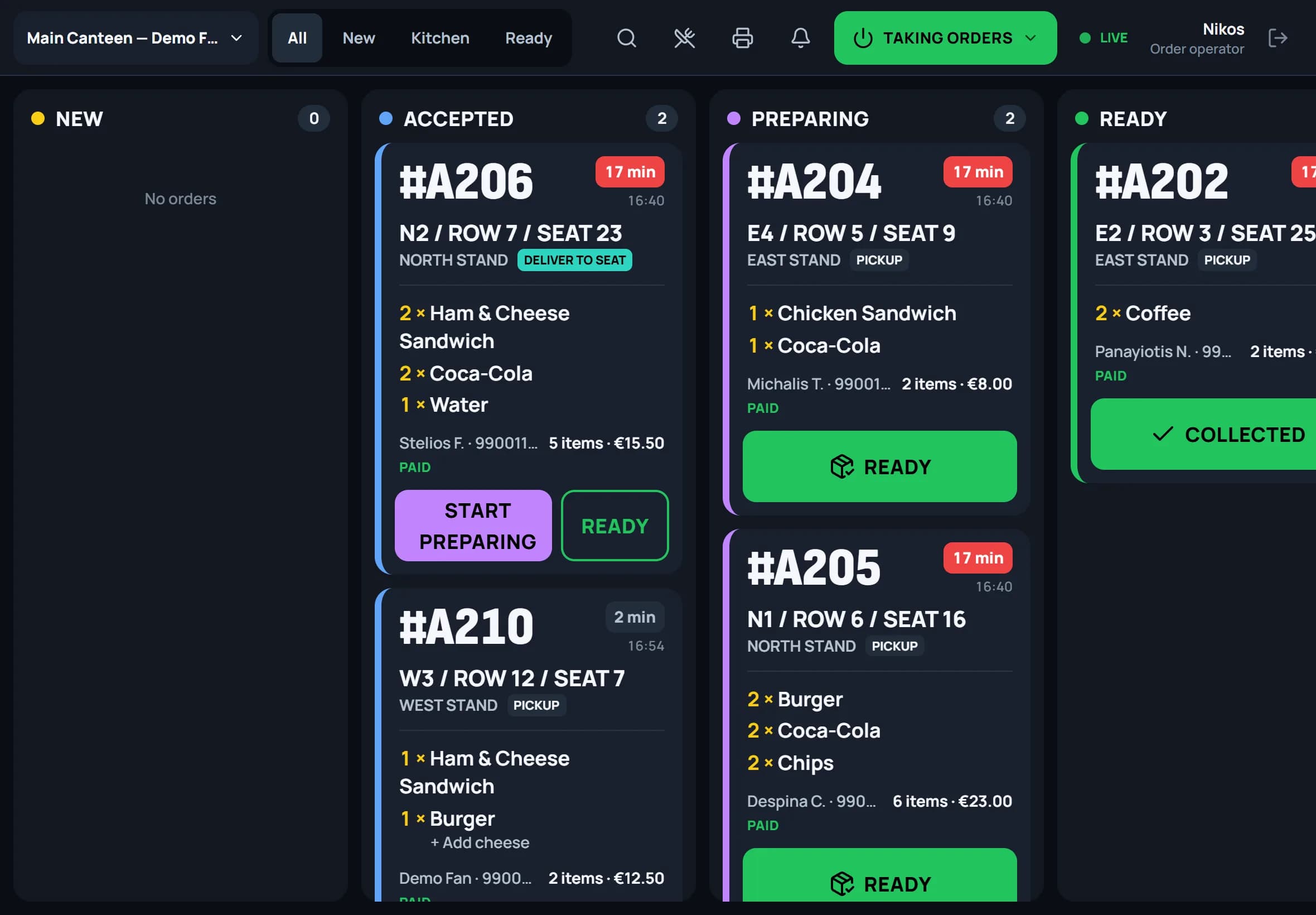
The canteen accepts with one tap
New orders chime on every tablet until someone takes them. One tap charges the card — if it fails, the card turns red: do not prepare. The ticket prints with a big order number and seat, kitchen items go to the kitchen printer, and every screen updates instantly.
- Built for gloves and glare: big buttons, high contrast
- Pause intake when the queue gets long
- Runners scan the ticket and deliver to the seat
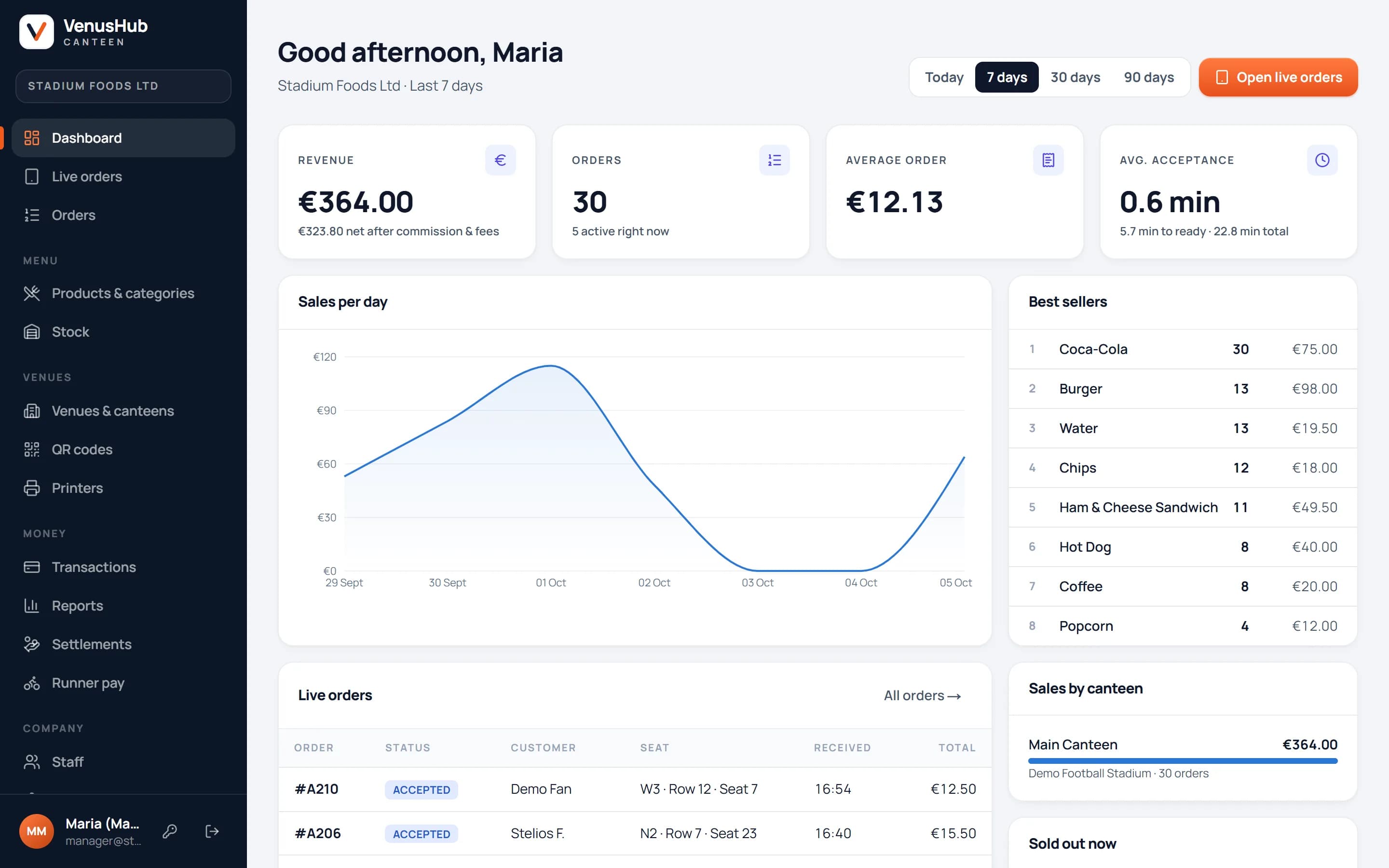
Managers see every euro
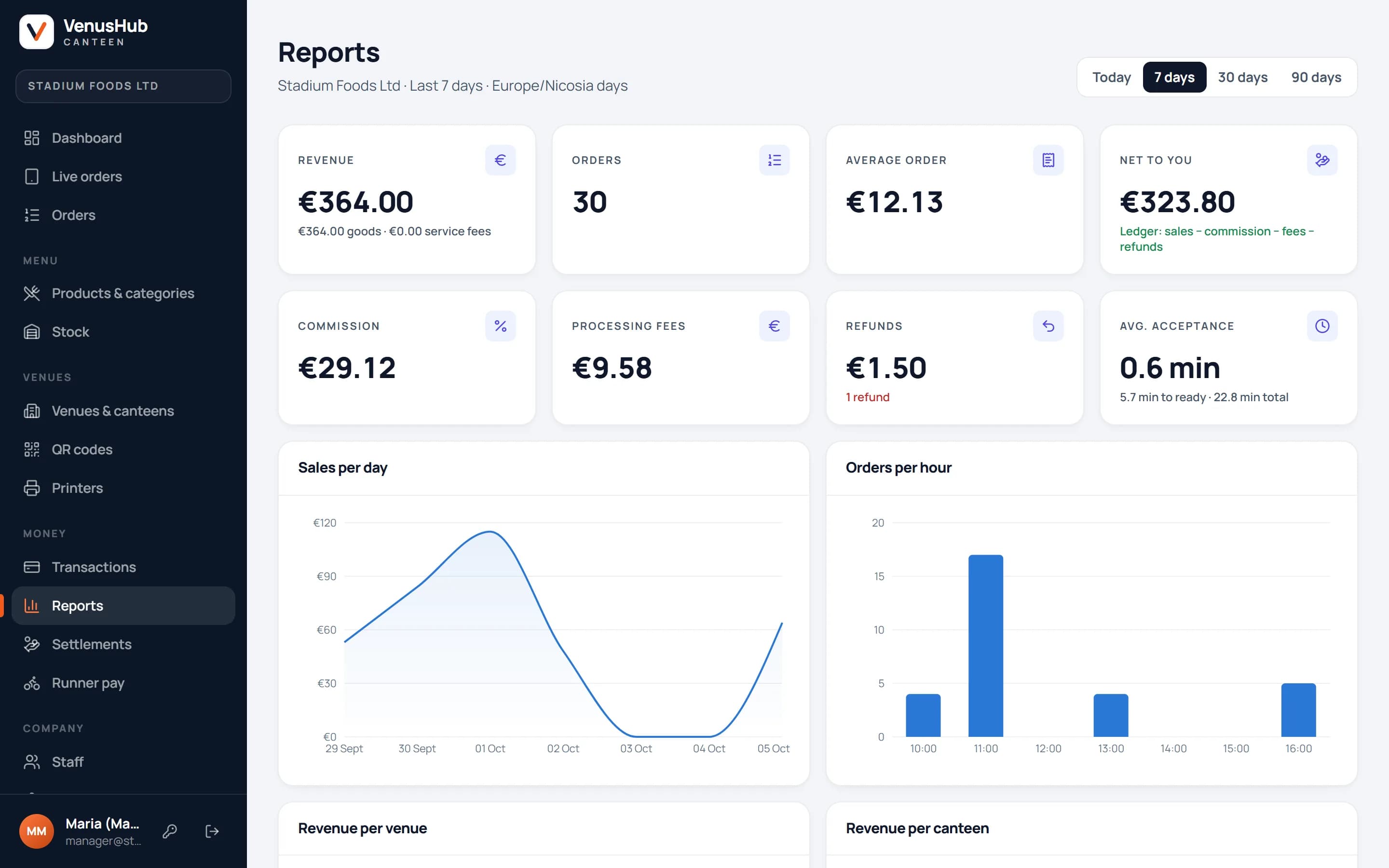
Revenue, best sellers, orders per hour and preparation times for each match. Every order, refund and fee is in the ledger, and each business day closes into a statement you can check line by line.
- Reports per venue, canteen and event
- Menus, stock, staff and printers in one place
- Refund any order, fully or partly, from its page
Built for match day
Designed for the busiest fifteen minutes of the week.
Real-time order board
New, accepted, preparing, ready — every screen updates instantly. Order desk, kitchen and runners each get their own view.
Safe when the Wi-Fi drops
A lost connection shows in red and actions pause, so nobody works from a stale screen. Payments can never run twice.
QR codes per seat
Codes for a venue, a stand or every seat in a section — export as PDF sheets, PNG or ZIP.
Any venue layout
Stands, sections, rows and seats — or zones and tables for festivals and halls.
SMS at every step
Received, accepted, ready — or a clear message if an order can't be taken.
Many venues, one account
A caterer runs several stadiums and arenas, each with its own canteens, menus, staff and hours.
Payments
Your customers pay you. We simply charge our fee.
Connect your own payment account and every order is paid straight into it. VenusHub's commission and service fee are charged automatically to the card you keep on file — no invoices to chase, no waiting for a payout.
- Your own Stripe account today; JCC, Viva.com and Revolut Business connections are in testing.
- Authorised on order, charged on accept — a rejected order is never charged. Card details never touch our servers.
- Refunds from the order screen, back to the customer's card through the same payment account.
Business day · example
ChargedYour catering company
- Paid by customers into your account
- €10,000.00
- VenusHub commission (example 10%)
- €1,000.00
- Charged to your card
- €1,000.00
Example figures for illustration only. Commission rates are agreed per company.
See a match-day order from both sides.
Open the fan menu on your phone and the canteen tablet on your laptop, place an order with a test card, and watch it arrive.